Changelogs
Stay up to date with the latest changes and enhancements.
Stay up to date with the latest changes and enhancements.

24. Sep 2026
Share
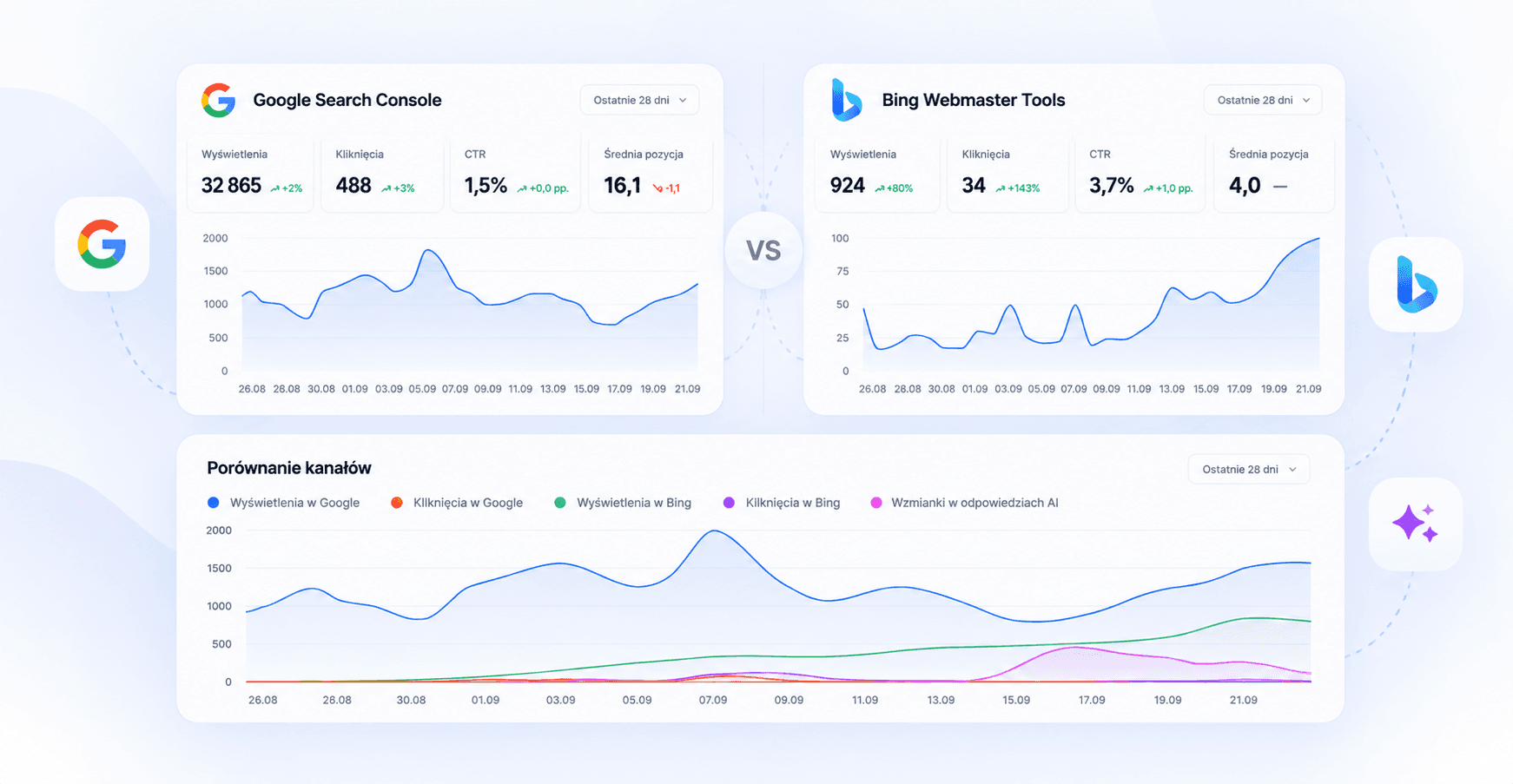
We’ve added integration with Bing Webmaster Tools, Microsoft’s tool for analyzing website visibility in the Bing search engine.
From now on, in the Analytics section, you can analyze data from:
Google
Data from Google Search, retrieved from Google Search Console and combined with Semly data.
Bing
Data from the Microsoft Bing search engine, retrieved from Bing Webmaster Tools, together with Semly data on visibility in AI answers.
Comparison
A direct comparison of data from Google Search Console and Bing Webmaster Tools.
After connecting Bing Webmaster Tools, you can monitor:
impressions
clicks
CTR
queries
page rankings
results for individual URLs
changes in results over time
We also compare Bing data with information collected by Semly:
visibility in AI responses
number of AI citations
average position in AI responses
pages from your domain that appear in AI model responses
This lets you check whether pages visible in traditional search engines are also cited and used by AI systems.
In the Comparison view, data from Google Search Console and Bing Webmaster Tools is presented side by side.
You can compare:
impressions
clicks
CTR
results for specific URLs
user queries
The shared chart also shows changes in visibility across Google, Bing, and AI answers.
For specific URLs, you can also compare search engine data with the number of times the page appears as a source in AI answers. This lets you analyze SEO and GEO in one place.
Language models such as ChatGPT readily use data available in Bing search.
The easiest way is to do this by importing from Google Search Console.
Sign in to Bing Webmaster Tools
Select Import from Google Search Console
Sign in to the Google account that has access to Google Search Console
Allow Bing to access the list of sites
Select a site
Click Import
The site will be added and verified using data from Google Search Console.
You can also add the site manually and verify its ownership by:
DNS,
CNAME record,
XML file,
meta tag in the <head> section of the page.
Once your site is available in Bing Webmaster Tools, go to:
Semly → Integrations → Bing Webmaster Tools
Connect your account and select the right site.
The data will appear in the Analytics section, where you can switch between views:
Google | Bing | Comparison
Semly now lets you analyze your website's visibility more broadly:
Google Search Console + Microsoft Bing Webmaster Tools + AI visibility
In one place, you'll see where users find your website, which content generates visibility and traffic, and which pieces become sources used by AI models.