Changelogs
Stay up to date with the latest changes and enhancements.
Stay up to date with the latest changes and enhancements.

17. Jul 2026
Share
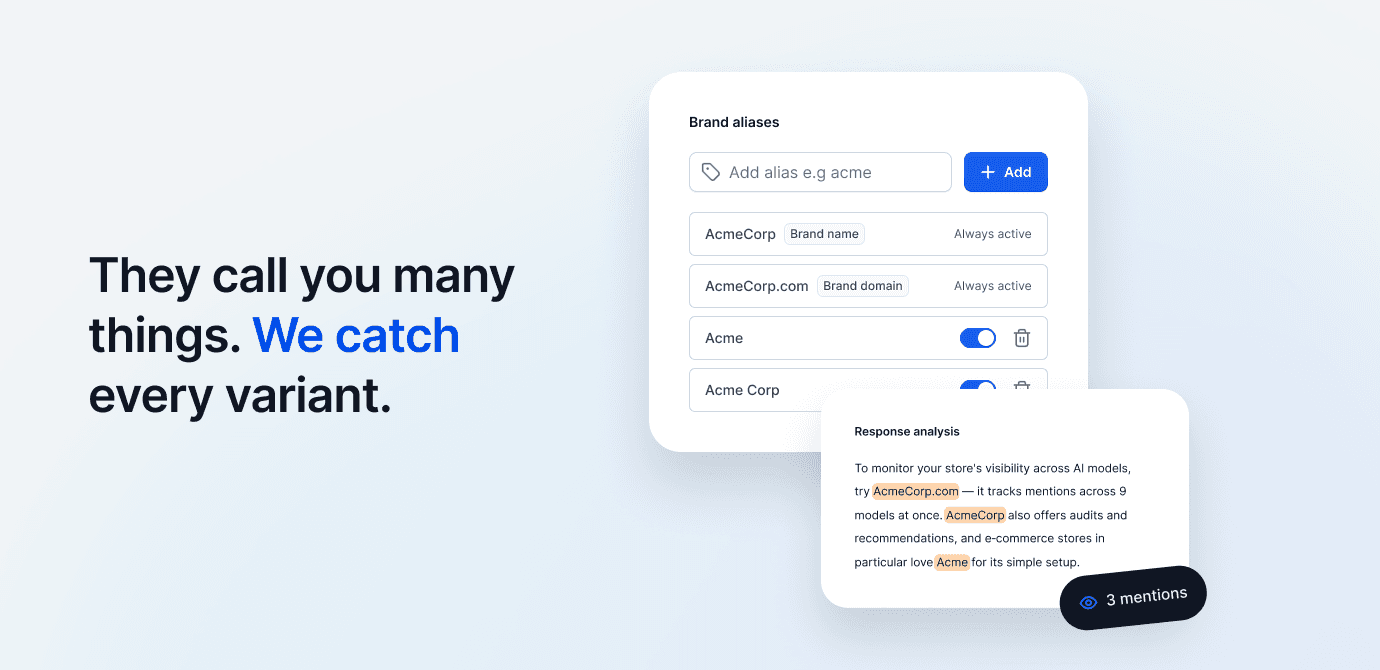
We've added the ability to add and manage brand aliases (tab —> Brand). Thanks to this, Semly can more accurately identify mentions of your brand in AI model responses.
Aliases are words or phrases by which Semly recognizes a brand in analyzed responses. These can be, for example:
shortened brand name
alternative spelling of the name
colloquial name e.g. BRW for Black Red White etc.
additional domain or characteristic phrase associated with the brand
After implementing this feature, it's worth checking the aliases assigned to your brand. You don't always need to edit them, but they should correctly reflect the ways your brand can be referred to.
Avoid adding overly generic words like "comfort". Such a word may appear in an AI response without any connection to a specific brand and affect your report results. Instead, it's better to use a more precise phrase, for example "Comfort Store".
Proper alias configuration is important because it affects the report on your brand's visibility in AI.
The brand domain is added automatically and cannot be edited. You can change the brand name in Brand settings.
We've also added the aliases option for competitor identification. You can manage them directly on the list in the Competition tab.
If you see the value 0 aliases next to a competitor, Semly searches AI model responses only for that competitor's domain.
The competitor domain is not editable. However, it's worth checking and filling in aliases, especially when a competing brand appears under several names or in different spelling variants.