Changelogs
Stay up to date with the latest changes and enhancements.
Stay up to date with the latest changes and enhancements.

10. Jul 2026
Share
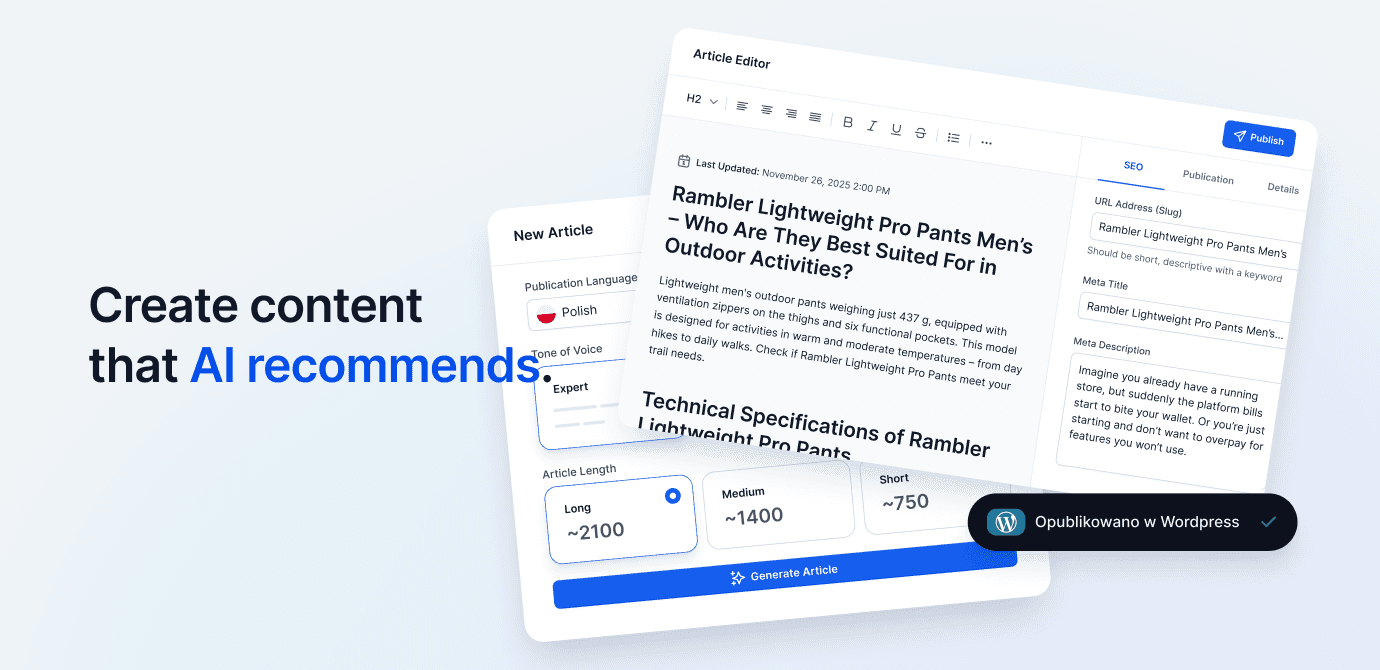
We've released a new version of the Content Generator in Semly. Content Generator 2.0 is now fully powered by AI Agent Leon, who helps you choose a topic, prepare the structure, analyze sources, and generate content tailored to your brand's visibility and competition.
A new CONTENT AI section has appeared in the app menu, which includes:
Articles - new Content Generator 2.0 and a list of prepared materials
AI Knowledge Base - moved knowledge base configuration generated and stored on Semly servers
We've redesigned the articles list to make it easier to manage your prepared content. We've added:
new article statuses
information about sources used during generation
content filtering
table view and tile view
clearer information about the origin and settings of each article
After clicking the New article button, you can choose one of three starting points.
AI Agent Leon can prepare completely new content based on:
existing prompt monitored in Semly
product available in the brand's offer
your own topic entered by the user
When selecting an existing prompt, Leon analyzes it and suggests article topics that can help increase brand visibility in AI responses.
You can refresh or rewrite existing content by selecting:
an article from the materials list in Semly
a link to a published article
content pasted directly into the generator
This is a convenient way to update older materials, change their format, or adapt them to search engines and language models.
Simply paste a link to a competitor's article or its content. AI Agent Leon will analyze the material and prepare a new, expanded version tailored to the user's brand.
For each article, you can choose an appropriate structure:
Regular post - universal article
A vs B - comparison of solutions
Guide - step by step instructions
Review - analysis, evaluation and verdict
Ranking - list of best products, services or solutions
Each format has a different structure and way of presenting information.
In the last step you can specify:
article language
tone of voice
content length
additional generation settings
We also added two advanced options.
After enabling the Show brief before generation option, Leon will first prepare an article plan. You can edit, supplement, and approve the brief before generating the full content.
The experimental Weave products from the store option allows Leon to include products from the brand's offer in the article, along with links and recommendations.
AI Agent Leon doesn't rely solely on the provided topic. When preparing an article, it also considers:
brand visibility monitoring results
competitor analysis
monitored prompts
available sources
information about the brand and its offer
This way, articles can better address real user questions and visibility needs in ChatGPT, Gemini, and other AI models.
We've also expanded the content editor. In addition to standard formatting, you can now add:
numbered and bulleted lists
quotes
code blocks,
horizontal lines
tables
images
links
In the article details, you can find information about word count, creation date, last modification, status, format, and sources used by AI, among other things.
Sources used to prepare the article can now be copied separately.
The generator also provides ready-made JSON-LD code in the Schema.org standard Schema.org, which you can use when publishing content on your website.
After generating an article, in the Social tab you can prepare shorter content promoting the material on your chosen channel:
X
Leon adjusts the length, structure, and style of the post to the selected platform.
We are already working on the next features of Content Generator 2.0, including:
generating thumbnails and images for articles
additional advanced settings
integrations with WordPress, Shoper and Shopify
automatic publication and updating of articles in connected systems
The new Content Generator is available in the app in the CONTENT AI → Articles section.