Changelogs
Stay up to date with the latest changes and enhancements.
Stay up to date with the latest changes and enhancements.

01. Apr 2026
Share
We’ve introduced one of the most anticipated features in Semly.ai - Topics for prompts. It’s a step that changes the way you analyze visibility in AI from the level of single queries to the level of strategies and business areas.
Visibility in AI stops being a collection of single queries and starts being a game about entire areas of user intent. That’s why in Semly.ai we’re introducing Topics for prompts - a feature that lets you organize data, group prompts, and analyze results on the level of real business segments, not single phrases. Thanks to this, you get a fuller picture of your presence in AI models and can make decisions based on where you’re really winning and where you’re losing visibility.
Example:
You have an e-commerce store and you’re monitoring 100 prompts. Instead of analyzing each one separately, you create topics: “transactional”, “comparative”, “educational”. Suddenly you see that:
you have high visibility in educational topics
but you almost don’t exist in transactional prompts
The conclusion is instant:
the problem isn’t a lack of visibility in general, but a lack of presence where there’s purchase intent. With this, you can precisely adjust your GEO strategy and AI-focused content.
 What's new?
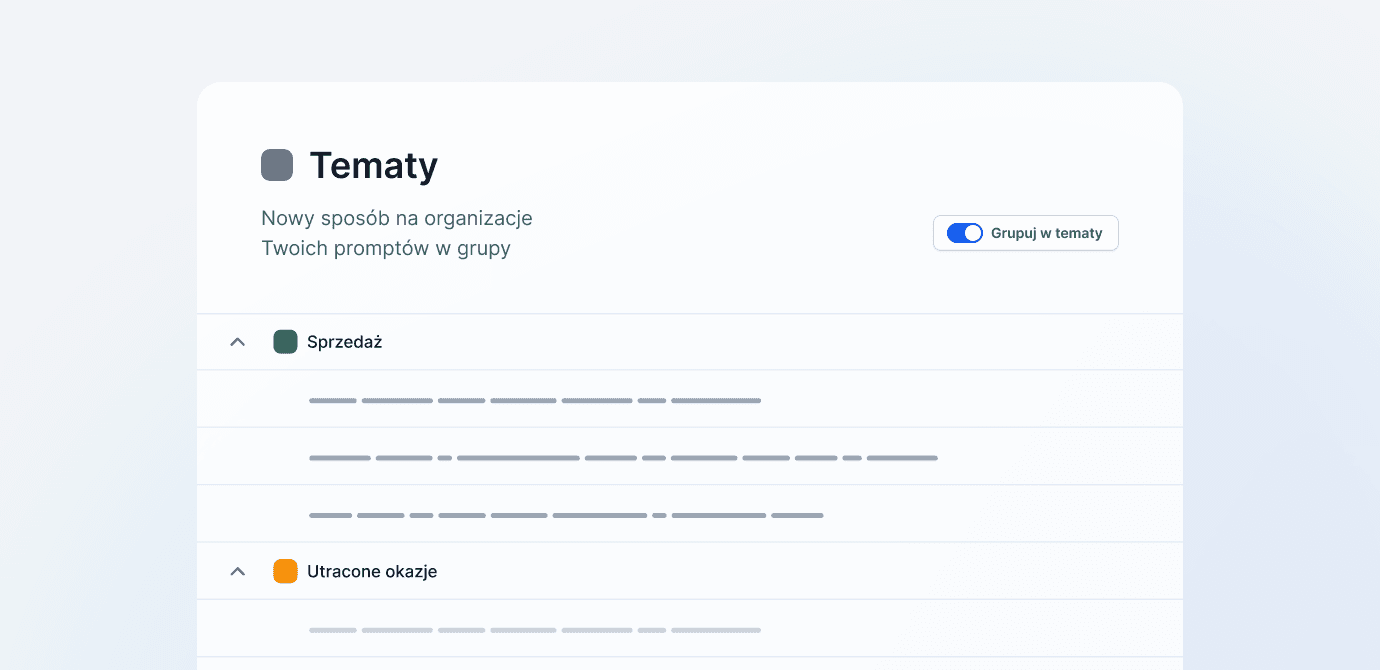
You can assign prompts to specific topics (e.g. “sales”, “marketing”).
Thanks to that:
you organize hundreds of prompts into logical groups
you analyze results not one by one, but in entire segments
The biggest change:
 you can analyze visibility per topic, not just per prompt
That means:
you see in which areas AI “understands” your brand
you identify gaps (e.g. lack of visibility in “shopping” prompts)
you make decisions on the GEO/AEO strategy level
We added quick search:
you’ll find prompts by phrase
you’ll assign them to topics in no time
you scale work on large datasets
You can switch the view
classic (list of prompts)
grouped by topics
Effect:
better data overview
faster segment analysis
The “Topic management” option lets you:
add and remove topics
edit names
assign colors (visual distinction of segments)
maintain consistent classification
You can:
assign a topic to a single prompt
assign in bulk to many prompts at once by selecting them
Additionally:
you’ll add a topic directly from the prompts list
or from the topic management view
Topics have also shown up in dashboards:
filtering data by topic
trend analysis of visibility for segments
better linking of data with the real business
 Why this matters (from a GEO / AEO perspective)
So far the analysis looked like this:
single prompt → single result
Now:
topic = user intent = market segment
This changes everything:
 1. Intent analysis, not keyword analysis
AI doesn’t work like Google
→ it works on contexts and intents
Topics let you map:
“I want to buy”
“I want to compare”
“I’m looking for a solution”
2. Strategic decisions instead of chaosInstead of:
100 prompts = chaos
You have:
5–10 topics = clear directions
3. Better content and GEO planningYou see:
where you’re visible
where you’re not
You can:
create content for specific topics
optimize feeds and data for segments
4. Scaling and analysisFor bigger projects this is crucial:
hundreds / thousands of prompts
many markets
different AI models
Without topics → no control
With topics → full data structure
 Summary
The new Topics feature:
organizes data
enables segment analysis
lets you make GEO/AEO decisions at the strategy level
significantly speeds up work on large prompt sets
This is the foundation for:
better reporting
better decisions
greater visibility in AI